Using Newman
Hello, Jerry!
Sometimes you need to combine the power of Postman with your regular old CI/CD services. That's where Newman comes in handy.
What is Newman?
Without mincing words, Newman is:
a command-line collection runner for Postman. It allows you to effortlessly run and test a Postman collection directly from the command-line. It is built with extensibility in mind so that you can easily integrate it with your continuous integration servers and build systems.
The above is taken directly from Newman's npmjs page.
Use cases
Here are some use cases where your utilizing Newman over plain Postman makes sense:
- Postman limits the amount of traffic you can generate monthly. Our CI/CD services don't usually care about that.
- The Postman monitor cannot easily be integrated with any other pipelines or processes, e.g., backend deployments.
- Sometimes it's more straightforward to fetch a token using Selenium (login via UI) and pass it to Postman. That's not something you can do in Postman directly.
- Sometimes using the CLI to run tests is simply faster.
Installation
Prerequisites
- Install node.js & npm.
Installing Newman
- Global install:
npm install -g newman - Local install:
npm install newman
Usage as a CLI tool
Running a local collection
- Navigate to Postman
- Export your collection to a .json file
- Export your environment to a .json file
- Run
newman run collection.json --environment environment.json
Running a remote collection
This option is more interesting because it allows you to make changes in Postman collections and environments without having to manually fetch the aforementioned JSON files.
Every time your tests run, they will run the latest and the greatest tests you have in your Postman workspace.
- Navigate to Postman
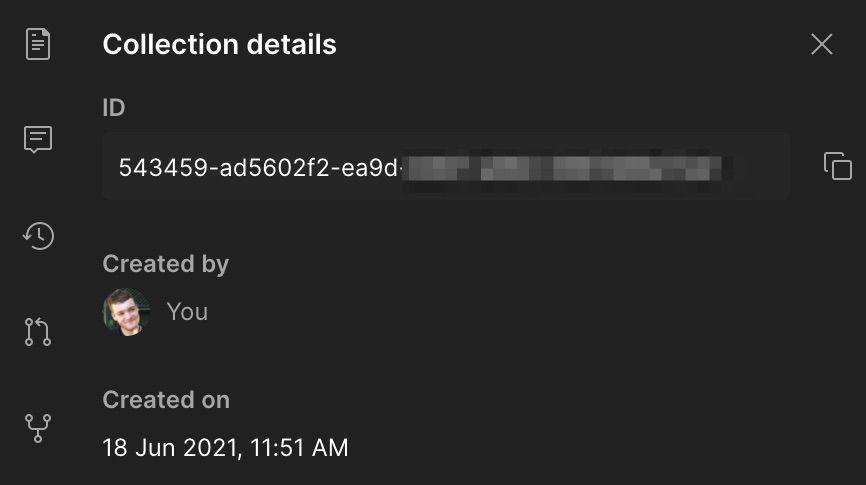
- Find the collection ID in collection details
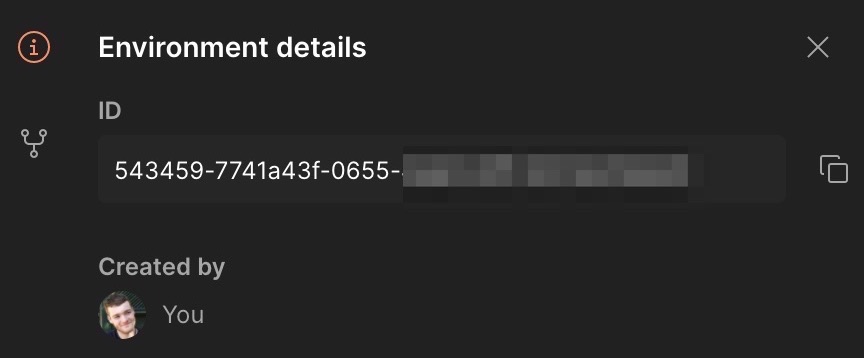
- Find the environment ID in environment details
- Generate a Postman API key in the "Postman API keys" section of your Postman profile
- Construct a collection URL like so:
https://api.getpostman.com/collections/YOUR_COLLECTION_ID?apikey=YOUR_API_KEY - Construct an environment URL like so:
https://api.getpostman.com/environments/YOUR_ENVIRONMENT_ID?apikey=YOUR_API_KEY - You can save both to environment variables
- Run
newman run ${COLLECTION_URL} --environment ${ENVIRONMENT_URL}
Adding a variable to your existing environment
Let's say you have a Selenium script that fetches the token. You can save that token to an env variable and then forward it to Newman like so:
- Run
newman run ${COLLECTION_URL} --environment ${ENVIRONMENT_URL} --env-var ${ACCESS_TOKEN_ENV_VAR}
Sending reports to Slack
You can also easily send test reports with Slack by simply modifying the aforementioned command:
newman run ${COLLECTION_URL} --environment ${ENVIRONMENT_URL} -r cli,slack --reporter-slack-channel '#your-channel' --reporter-slack-webhook-url '${SLACK_WEBHOOK_URL}' --reporter-slack-title='Test report title'
Usage as a JS lib
You can also use Newman as a fully fledged Node.js lib, but we won't go into detail on that particular topic.
Find more info on the npmjs page.
Docs
For more info on all params and other use cases, check out their GitHub page.