Writing test cases
More than the act of testing, the act of designing tests is one of the best bug preventers known.
Testrail
There are various test case management tools out there. We came to use Gurock Software's Testrail.
Read up on it here.
What is a test suite?
- A test suite is a set of test cases.
- A test suite may be divided into sections.
- A test case is one test you can execute manually.
Each project can have several test suites and the scope of the test suite may vary. You might want to test everything, or just assemble a test suite that will be used for sanity checks.
Divide your test suite into digestible sections. One of the best practices is to divide it into features or screens, depending on the type of project you are working on.
How to write test cases
This is the minimum set of info each test case should have:
- Title
- Steps
- Expected
Additionally, it may also contain:
- Prerequisites (e.g. user role)
- Reference (to a requirement, task or user story)
The title should clearly state what you are testing. Possible ways to format your title are the following:
- Verify that
SOME CONDITIONresults inSOME RESULT - Feature should have
SOME RESULTwhenSOME CONDITION
These are some criteria that your test cases should fulfill:
- They should reflect how the app should actually behave
- They should be self-contained
- They should check one thing
You should write both positive and negative test cases.
- Positive test cases test the happy flow - "test to pass"
- Negative test cases test error handling - "test to fail"
How to quickly write & import test cases
You could find yourself caught in one of the following scenarios:
- You start working on a project that has no test documentation at all.
- You have very limited time to work on test documentation.
- You already have test documentation in XLSX or CSV and you want to import it into Testrail for easier usage.
If that is the case, there is an easy way to quickly get yourself up and running:
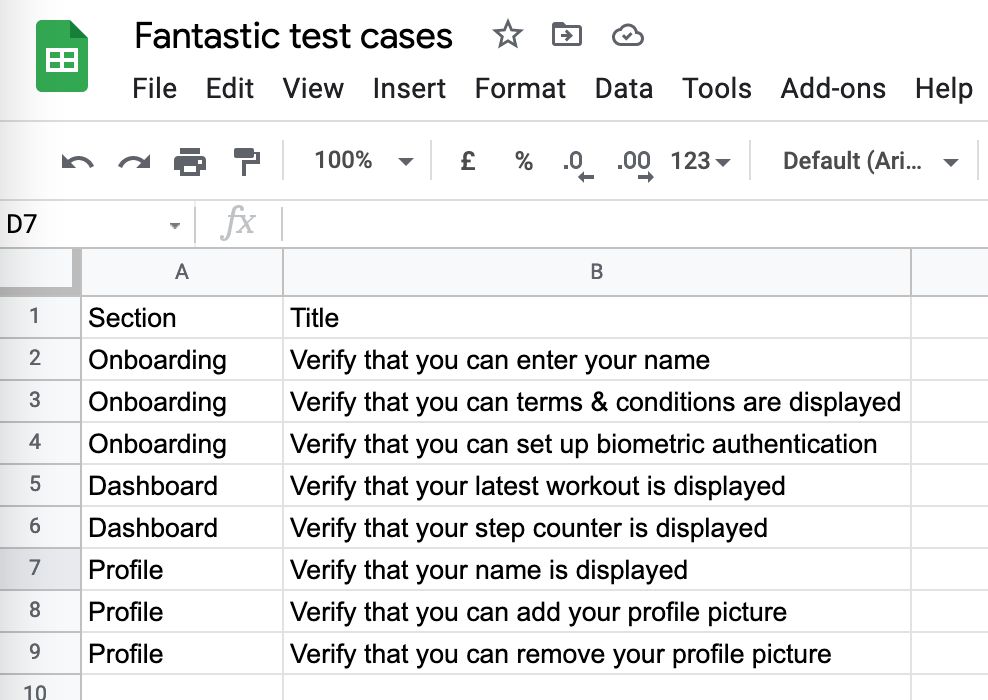
- Sketch out your test cases in XLSX/CSV
- Navigate to your Testrail project
- Click on "Import Cases" and select your file
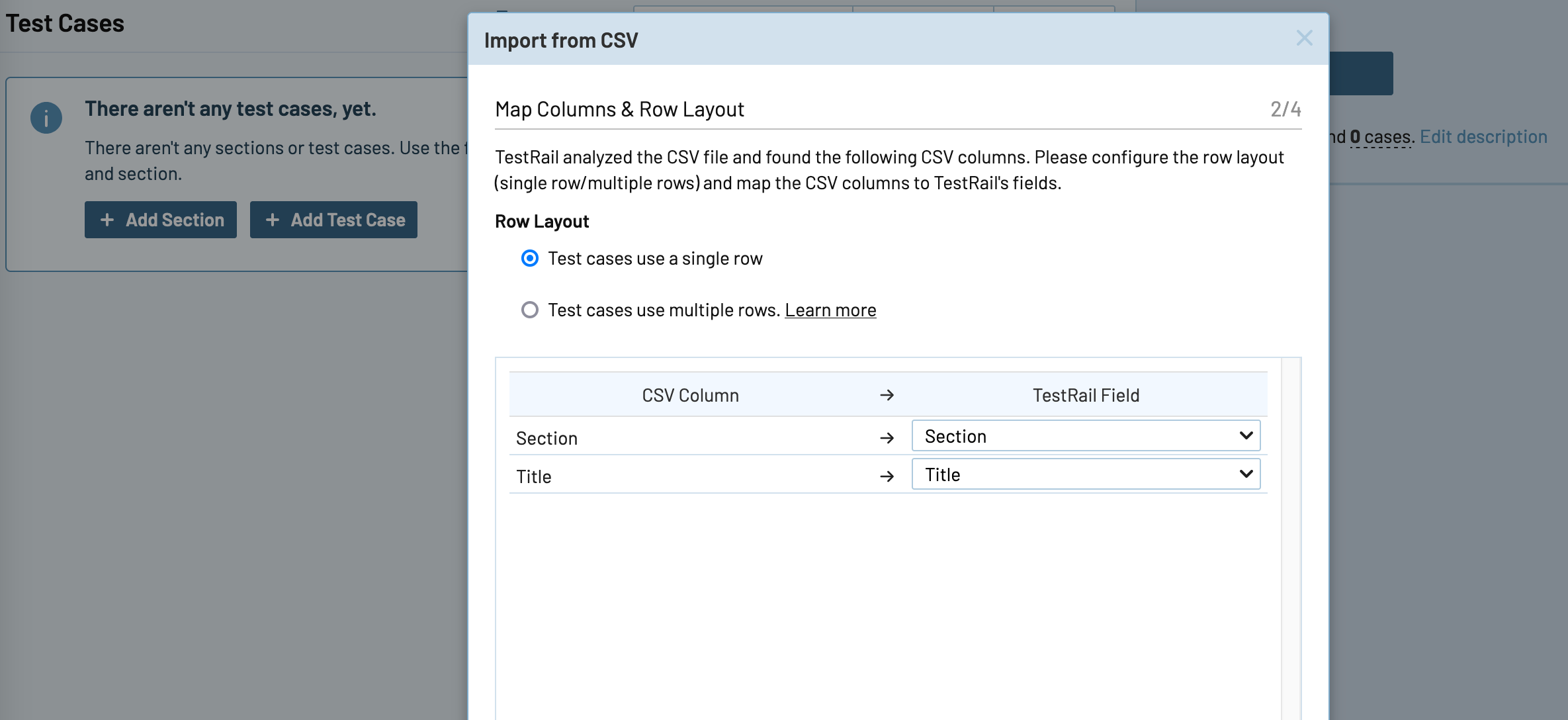
- Map your columns to Testrail fields
- Import them and voilà...
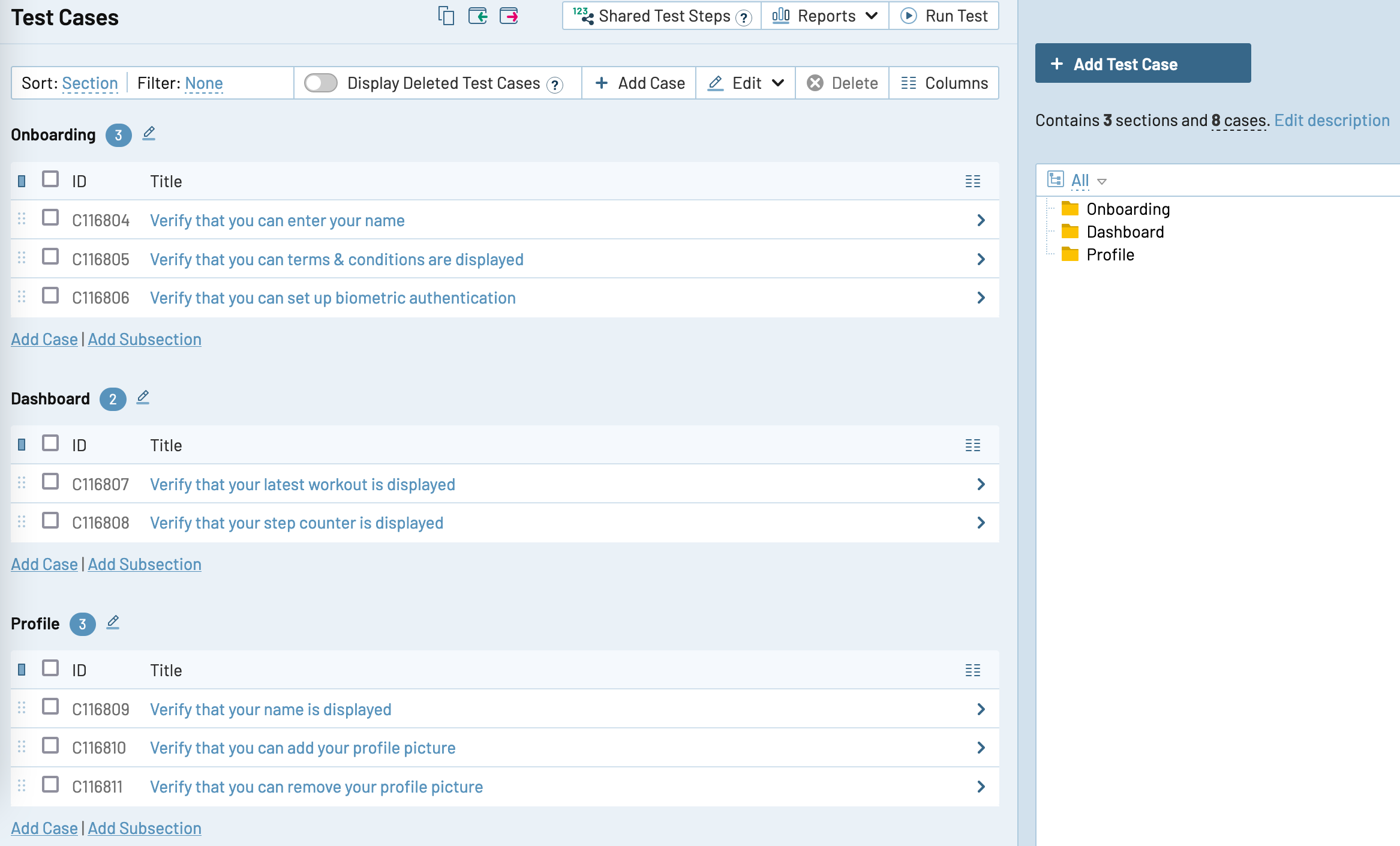
You will quickly and easily get a structure you can build on and immediately start executing tests.
N.B., if your file does not contain one test case per row, check out the official user guide.
How to maintain test cases
- Each time you approach a new task, write test cases for it.
- If it changes some existing behaviour, update the old test cases as well. In that way, you'll always have a set of test cases that actually reflect the app.
Versioning test suites
If you are working on several app versions at the same time, a good idea is to branch off your current test suite and start maintaining a new one.
At some point in time, you'll have fresh test cases in the new suite that will not interfere with testing the current version.
Once the current version becomes deprecated, you can simply discard the old one.
How to run a test suite
To run a test suite:
- Navigate to Test Runs & Results
- Select a test suite
- Give the test run a name
- Enter the test device, build, environment and other meta data to the description
- Exclude some test cases if you agreed to skip them
- Add the test run
- Go through each test case and assign it a status (Passed, Blocked, Retest, Failed)
- Create bugs in your project management tool if you find them and notify the team
- Once you are done, close the test run
- Generate a test report
How to generate test reports
There are several different test reports you can generate, here's how you can generate two most used ones.
Run summary
- Navigate to a test run
- Click on Run > Summary
- Click on Add report
- Wait for it to generate
- Download it
Detailed test report
- Navigate to a test run
- Click on the Print icon
- Select "Details" from the top dropdown
- Click on Print and save it as a PDF
SMART test cases
Read up on how to make your test cases SMART:
- Shareable
- Manageable
- Adaptable
- Reusable
- Tiered